Escrito por

You cannot treat Beatport like a normal self-upload store.
To sell music on Beatport, an artist normally delivers the release through a music distributor that supplies Beatport. Labels or distributors can also pursue direct-deal arrangements with Beatport. PromoSoundGroup is a music promotion provider, not the distributor that uploads your release: it works after the distribution step, once the release is scheduled or already live on the store.
Clear Meaning: What Selling Music on Beatport Actually Means
Selling music on Beatport means your track, EP, or album is delivered to Beatport’s store system, reviewed through a delivery route, listed under the correct artist and label data, and made available for paid downloads or store activity. It does not mean logging into Beatport as a listener and uploading a file.
A release that is not visible immediately after distributor submission is normal: delivery, review, release-date scheduling and store ingestion all take time. It is a real problem if the release is live with wrong metadata, missing tracks, incorrect artist association, or no Beatport destination selected in your distributor dashboard.
Can You Upload Music Directly to Beatport?
Artists generally need a distributor that delivers to Beatport. Direct-deal routes are mainly for qualifying labels and distributors that use Beatport’s own enquiry process, not for every independent artist with one finished track.
If you are asking how to upload music to Beatport, the practical answer is usually to choose a Beatport distributor and send the release through that dashboard. If you run an established label with a catalog, release schedule, rights controls, and operational capacity, a direct relationship may be possible, but it is a different business process from a one-off artist upload.
Where the Problem Appears Before and After Delivery
The main confusion appears at three points: before submission, during distributor review, and after the Beatport listing goes live. Each point has different causes, so the fix depends on where the release is stuck.
- Before submission: the artist does not know whether Beatport accepts direct uploads, which distributor to use, or what assets are required.
- During distributor review: the release may be delayed because audio, artwork, rights fields, genre selection, or label information fails the distributor’s checks.
- After delivery: the store page may show wrong artist mapping, incorrect metadata, missing label details, or no usable URL for promotion assets.
- After launch: visibility becomes a promotion problem, not a delivery problem, because distribution only makes the release available.
Electronic music buyers move between the store, DJ charts, playlists, social clips and scene communities, so a release that is delivered correctly can still be invisible — and a release that is promoted hard can still be unsellable if the listing is wrong. The two problems need different fixes.
How to Sell Music on Beatport in 6 Steps
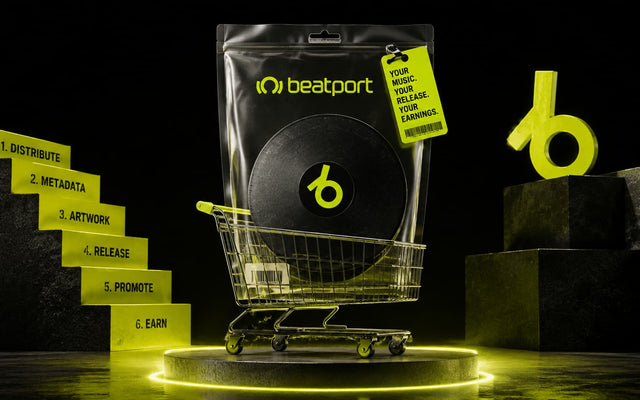
The shortest working roadmap is: prepare the release, choose a distributor, enter metadata, deliver to Beatport, check the listing, then promote the live page. This order matters because promotion cannot repair a release that was never delivered correctly.
- Prepare the final master, cover artwork, artist information, label information, release date, and release metadata before opening the distributor form.
- Choose a distributor that can deliver releases to Beatport, and confirm that Beatport is available for your territory, genre, and account type.
- Create the release in the distributor dashboard, then select Beatport as a destination where the platform offers that store option.
- Enter accurate track titles, version names, genre, release date, artist names, remixer names, label details, credits, and rights information.
- Submit the release and complete the distributor’s review, correction, approval, and delivery process before the scheduled date.
- After the release is live, check the Beatport listing, save the correct URL, and begin release promotion through social, DJ, producer, and audience channels.
What You Need Before Submitting a Release
You need release-ready assets, correct identity data, and rights information before submission. Missing details slow distributor review and increase the chance of incorrect Beatport listings.
| Asset or information | What to prepare |
|---|---|
| Audio master | Final release-ready track file according to distributor requirements |
| Cover artwork | Final artwork that meets distributor and store specifications |
| Artist details | Correct artist, remixer, and collaborator names with profile references where available |
| Release metadata | Track titles, version names, credits, genre, release date, label name, and track order |
| Rights information | Ownership or licensing information required by the distributor |
| Release plan | Target release date, delivery deadline, announcement timing, and promotion window |
Causes of Failed or Delayed Beatport Releases
Beatport release problems usually fall into four categories: asset issues, metadata errors, access limits, and timing problems. Grouping them this way prevents artists from fixing the wrong part of the process.
Asset-related causes
Audio and artwork problems stop or delay delivery because the distributor must pass store-ready files forward. Common failures include unfinished masters, wrong file format, low-resolution artwork, text mismatch between cover and metadata, or artwork that violates store specifications.
Metadata-related causes
Metadata controls how Beatport reads, groups, and displays the release. Artist spelling, remixer formatting, version names, label name, genre, credits, and track order all affect whether the listing looks correct.
Access-related causes
Some distributors do not supply Beatport on every plan, territory, label setup, or genre workflow. If Beatport is not available as a destination, the issue is not promotion; it is your delivery route.
Timing-related causes
Late submissions create avoidable pressure because distributor review, store delivery, ingestion and release-date scheduling all need lead time. Promotion planning needs the same lead time: campaign assets and a working store URL have to exist before launch week, not during it.
How Beatport Distribution Works
Beatport distribution is the delivery layer that moves your release from artist or label preparation into Beatport’s store environment. Promotion is separate activity that helps create visibility before or after launch.
- The artist or label prepares the master, artwork, metadata, rights information, and release plan.
- The distributor checks the submission and sends store data plus assets to Beatport where supported.
- Beatport publishes eligible releases according to its store processes and the scheduled release date.
- Promotion happens around the release but does not replace delivery, review, or store listing.
| Scenario | Distribution path |
|---|---|
| Independent artist | Use a distributor that supports Beatport and can deliver the release under the appropriate label arrangement |
| Existing label | Use the label’s distributor or established delivery setup |
| Distributor or qualifying label seeking direct relationship | Use Beatport’s direct-deal or enquiry process where applicable |
What Metadata Matters for a Beatport Release?
Beatport metadata matters because it shapes store search, artist association, label grouping, genre placement, and buyer understanding. Wrong metadata can make a valid delivery look unprofessional after it goes live.
- Artist and remixer names
- Track and release titles
- Version or mix names
- Primary genre and subgenre selection where supported
- Label name
- Release date
- Track order for EPs and albums
- Credits and rights-related fields required by the distributor
Genre selection deserves more thought than it usually gets. On Beatport the genre and subgenre you submit decide which chart the release competes in and which browsing pages it appears on, so the choice should describe the actual sound rather than the chart that looks least crowded — a mislabelled track loses the audience that was looking for it and rarely gains the one it was aimed at. Two scheduling details matter for the same reason. Many electronic labels run an exclusivity window, giving Beatport the release two to four weeks before other stores, which concentrates early sales where the genre charts are calculated. And if your distributor supports a pre-order, the store page exists before the release date, so the URL for your campaign assets is available earlier than most artists expect.
To get music on Beatport under the correct artist profile, enter names consistently and give the distributor existing profile information if its dashboard supports profile mapping notes. If the listing still connects to the wrong profile after launch, contact the distributor with the Beatport URL, correct artist name, and evidence of the proper profile.
Decision Tree: Diagnose the Issue in Under 2 Minutes
Use this quick path to separate distribution issues from promotion issues. The fastest fix is the one that matches the stage where the problem appears.
- If Beatport is not shown in your distributor dashboard, the likely cause is unsupported store access on that account, plan, label setup, or territory.
- If the distributor rejects the release, the likely cause is an asset, metadata, rights, or artwork problem inside the submission.
- If the distributor approved the release but Beatport is not live yet, the likely cause is delivery timing, ingestion delay, or release-date scheduling.
- If the release is live with wrong names or label data, the likely cause is metadata entry or profile mapping.
- If the release is live but nobody is finding it, the likely cause is a visibility problem that requires promotion, audience outreach, and campaign assets.
- If DJs or fans use different links in posts, the likely cause is inconsistent campaign setup rather than a Beatport store error.
Distribution vs Beatport Promotion
Distribution gets the release into the store; promotion helps people notice it. Confusing these jobs leads to late campaigns and misplaced expectations.
| Distribution | Promotion |
|---|---|
| Gets the release delivered to Beatport | Helps create visibility after or around release |
| Handled through a distributor or direct-deal setup | Handled through marketing and promotion activities |
| Includes audio, artwork, metadata, and rights fields | Includes audience outreach, campaign activity, and release visibility |
| Required to make the release available for sale | Optional marketing layer; does not replace distribution |
A Beatport promotion campaign should only be treated as a visibility layer after the release path is already solved. No legitimate campaign can guarantee chart positions, because rankings depend on store activity, timing, genre context, competing releases and buyer behaviour.
Fix Checklist Before and After the Release Goes Live
Fix the release in sequence: delivery route first, submission quality second, listing accuracy third, promotion fourth. Skipping ahead usually creates more correction work later.
- Confirm that your distributor can deliver to Beatport before building the campaign calendar.
- Check that the final master and cover artwork meet the distributor’s current specifications.
- Enter artist names, remixer names, label name, titles, versions, genre, credits, and release date exactly as they should appear.
- Submit early enough for distributor review, corrections, delivery, store processing, and campaign preparation.
- After approval, monitor the planned release date and prepare social posts, DJ outreach, email assets, and link tracking.
- When the Beatport page is live, verify release page, artist profile association, label association, track order, genre, artwork, and pricing display where visible.
- Use the correct Beatport URL in campaign assets, smart links, social bios, press notes, and audience posts.
- Track store activity alongside wider signals such as saves, shares, DJ support, creator use, comments, and traffic sources.
Practical promotion plans combine owned social channels, direct fan contact, short-form content, DJ and playlist outreach and release-specific messaging. Treat these as repeatable campaign actions across the release window rather than a single announcement on the day.
What Not to Do
Do not buy fake activity, submit music you do not control, falsify rights information, or use another artist’s name to capture searches. These actions can damage listings, payments, profiles, distributor accounts, and future release options.
- Do not assume a promotion provider can upload tracks to Beatport unless it is also acting as an approved distributor.
- Do not change artist spelling between releases unless you are intentionally creating a separate identity.
- Do not wait until release day to check the store page if your campaign depends on a correct Beatport URL.
- Do not promise chart results to collaborators, remixers, or label partners as a guaranteed outcome of promotion.
FAQ
How do I sell music on Beatport?
Prepare your release assets, choose a distributor that delivers to Beatport, select Beatport as a destination, submit accurate metadata, complete review, and promote the live listing.
Can an independent artist sell music on Beatport?
Yes, an independent artist can sell tracks on Beatport if they use a distributor or label arrangement that supports Beatport delivery.
Do I need a distributor to release music on Beatport?
Most artists need a distributor because Beatport is not normally a direct self-upload platform for individual releases.
Can I upload music directly to Beatport?
Individual artists generally cannot upload directly in the same way they might upload to an open creator platform. Direct-deal routes are intended for qualifying labels and distributors through Beatport’s enquiry process.
How do I choose a distributor for Beatport?
Choose one that clearly lists Beatport delivery, supports your release type, explains fees and payment terms, gives metadata control, and provides correction support after delivery.
What files and metadata do I need for a Beatport release?
You need final audio, compliant artwork, artist and label details, track titles, version names, genre, credits, rights information, and a release date.
How do I get my music listed under the correct Beatport artist profile?
Use consistent artist naming during submission and send profile correction details to your distributor if the live listing maps to the wrong profile.
Can labels deliver music directly to Beatport?
Some qualifying labels and distributors may pursue direct arrangements through Beatport’s relevant enquiry route, but many labels still use established distributors.
What should I do after my release goes live on Beatport?
Verify the listing, save the correct URL, coordinate social and DJ outreach, monitor release signals, and run promotion only as a layer after distribution.
Is Beatport promotion the same as music distribution?
No. Distribution delivers the release to Beatport, while promotion creates awareness around a release that is already delivered or scheduled.
Summary
Getting a track on sale at Beatport is a delivery problem before it is a marketing problem: solve the route through a distributor or a qualifying direct setup, then check the live store page before spending anything on visibility. PromoSoundGroup enters only at that later point, as a promotion provider for a release that is already delivered — never as the upload route. The clean order is correct assets, accurate metadata, confirmed delivery, verified listing, then focused promotion.

 Olena Zotova